
Track every vehicle
See live locations and status on one map when your tracking receiver is connected.
Track vehicles, replay trips, and manage fleet operations in one workspace. Choose a monthly plan based on how many devices you need.
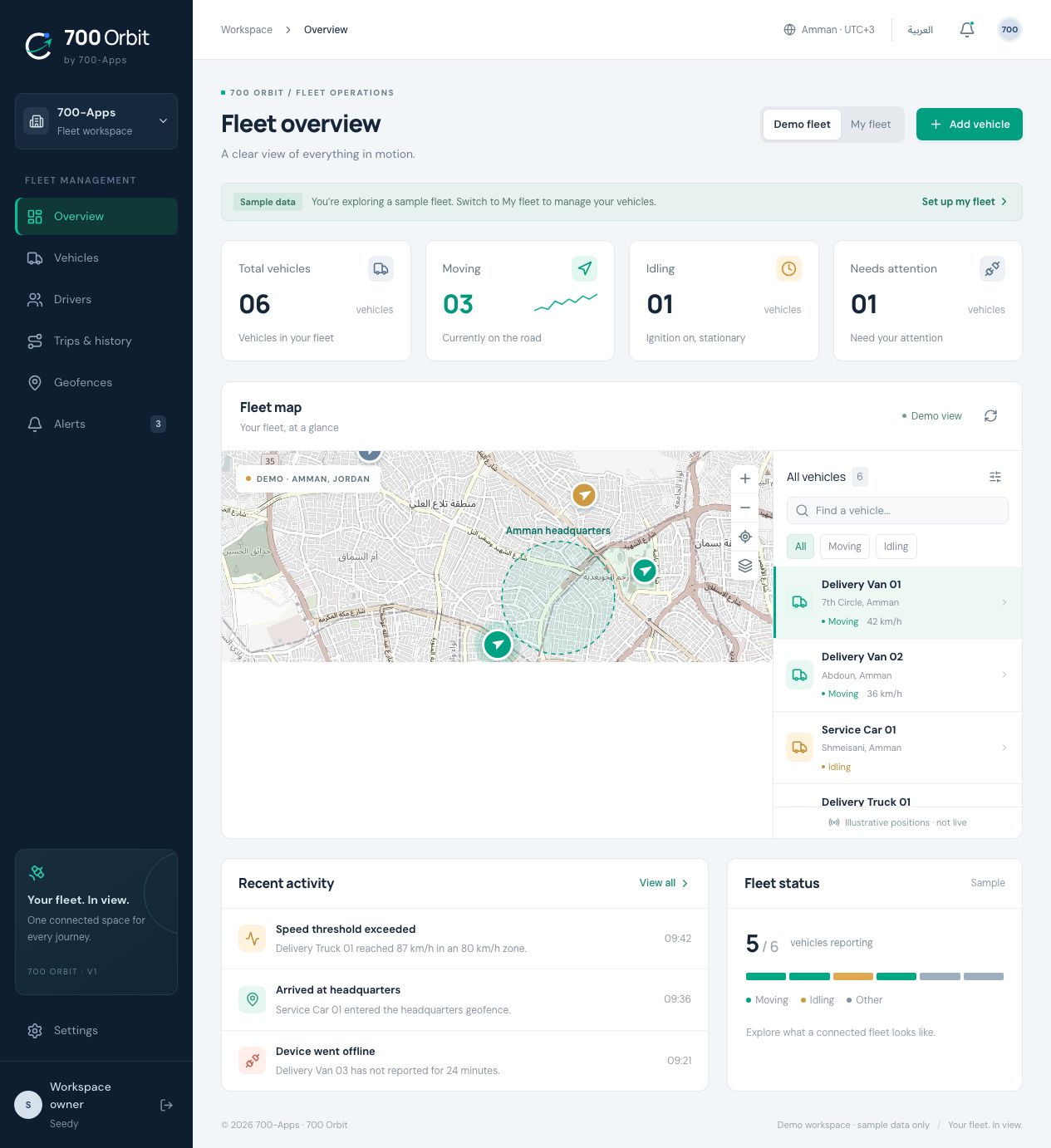
See where your vehicles are and keep the records your fleet depends on.
See live locations and status on one map when your tracking receiver is connected.
Replay routes, review stops and export trip or activity reports.
Set zones around depots and customer sites. See entries and exits.
Review speeding, geofence, and tracker battery alerts as updates arrive.
Keep vehicle and driver records together and find the right assignment.
Manage drivers, maintenance, inspections, renewals, and fuel or charging costs.
Download vehicle, trip and operations reports for your team.
Look up Traccar protocols and review device telemetry when your hardware reports it.
Filter vehicle records for upcoming inspections, insurance, and registration due dates.
Log expenses against the vehicle, then filter and export the operations register for review.
Explore actual screens from the Orbit demo fleet.
See the fleet, vehicle status, and recent activity at a glance.
Review stops and routes after each run. Set depot and delivery zones to see when vehicles arrive and leave.
See where vehicles were last reported, keep driver assignments current, and review exceptions such as speeding.
Track inspections, insurance and registration renewals, and record repair and fuel costs by vehicle.
Use the price calculator to match your device count, then create an account and request a plan.
Compare plansCheck the model and protocol in the device directory. Ask 700-Apps about compatible hardware and receiver setup.
Browse device compatibilityAdd vehicles and drivers, define geofences, and start logging inspections, expenses, and service dates.
See the fleet workspaceUse devices you already own or request a purchase quote for new hardware. Tell us the models and quantities you need, or describe your fleet and ask for help choosing.
Request a device quote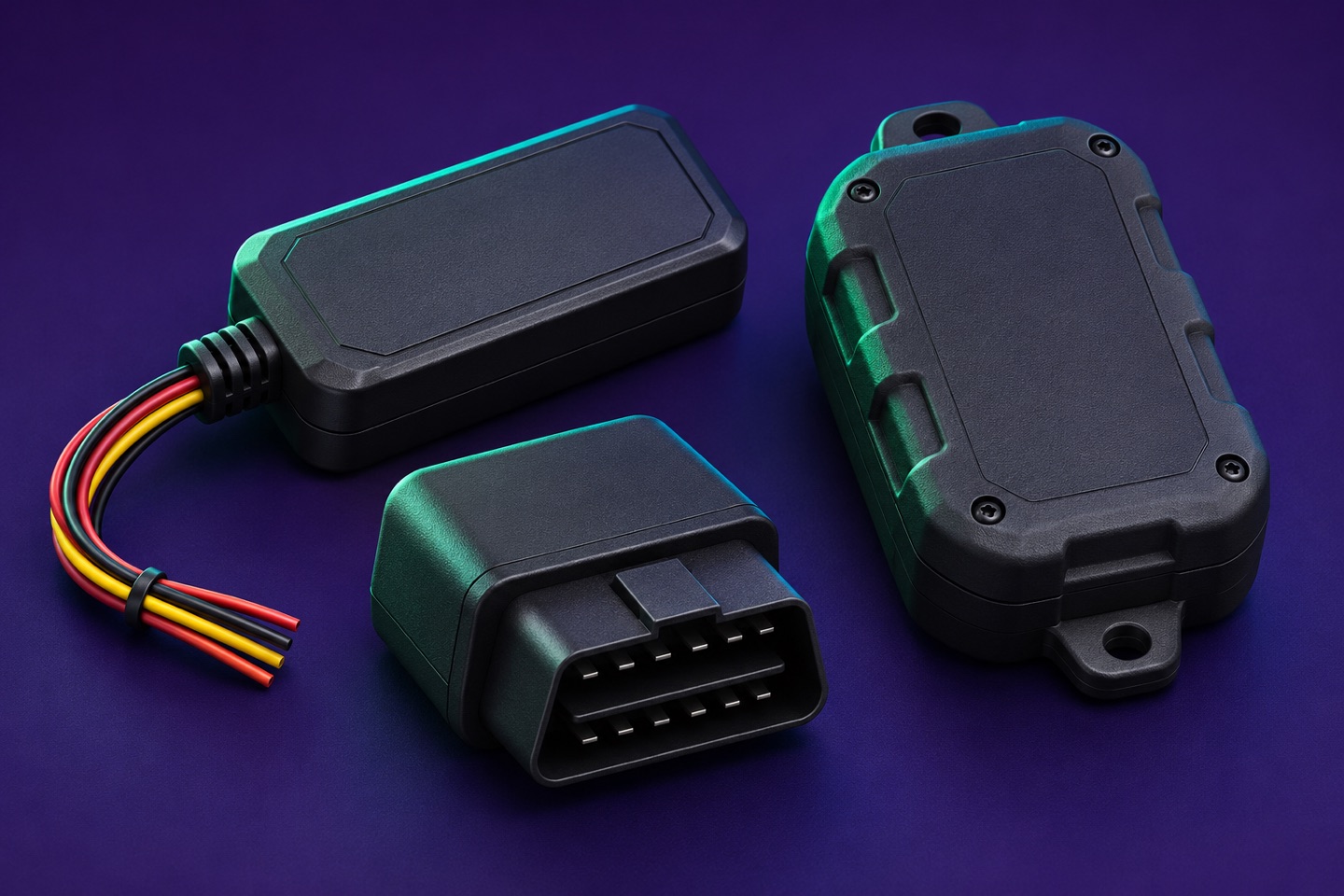
Browse all models in the Traccar directory, plus the QS111 with GT06 firmware. Compatibility depends on firmware and protocol. Availability and purchase pricing are confirmed by quote.
Loading device models…
Source: Traccar supported devicesShare the devices and quantities you need. Hardware purchases are quoted separately from the monthly Orbit subscription.
Sign in to submit a quote request and see its status.
Sign in to request a quotePlans start at 1 JOD per device at the tier limit. Larger tiers get a bigger discount.
1–5 devices
6–10 devices
11–50 devices
51–100 devices
101+ devices
For fleets of up to 100 devices, multiply the tier’s maximum device count by 1 JOD, then apply its discount. For 101 or more devices, use your agreed device limit at 0.80 JOD per device per month.
Your plan price changes when your agreed device limit moves into the next tier. Use the calculator to compare monthly totals before requesting a change.
700 Orbit connects to Traccar. Compatibility depends on the device protocol, firmware and sensors. Tracker hardware, SIM plans and receiver setup are arranged separately.
A plan request records your selection for setup. Recurring billing and activation are arranged separately.
Orbit can show its last reported position, speed and status. Ignition, battery and other sensor readings depend on what the device sends.
You need a compatible GPS device, a working data connection and a configured tracking receiver. Ask 700-Apps for help checking your model and setup.
You can download supported trip, vehicle and operations reports as CSV for use in spreadsheets.
Talk to 700-Apps about a demo, compatible trackers, or getting your fleet set up.
Chat on WhatsApp+962 77 776 0151